
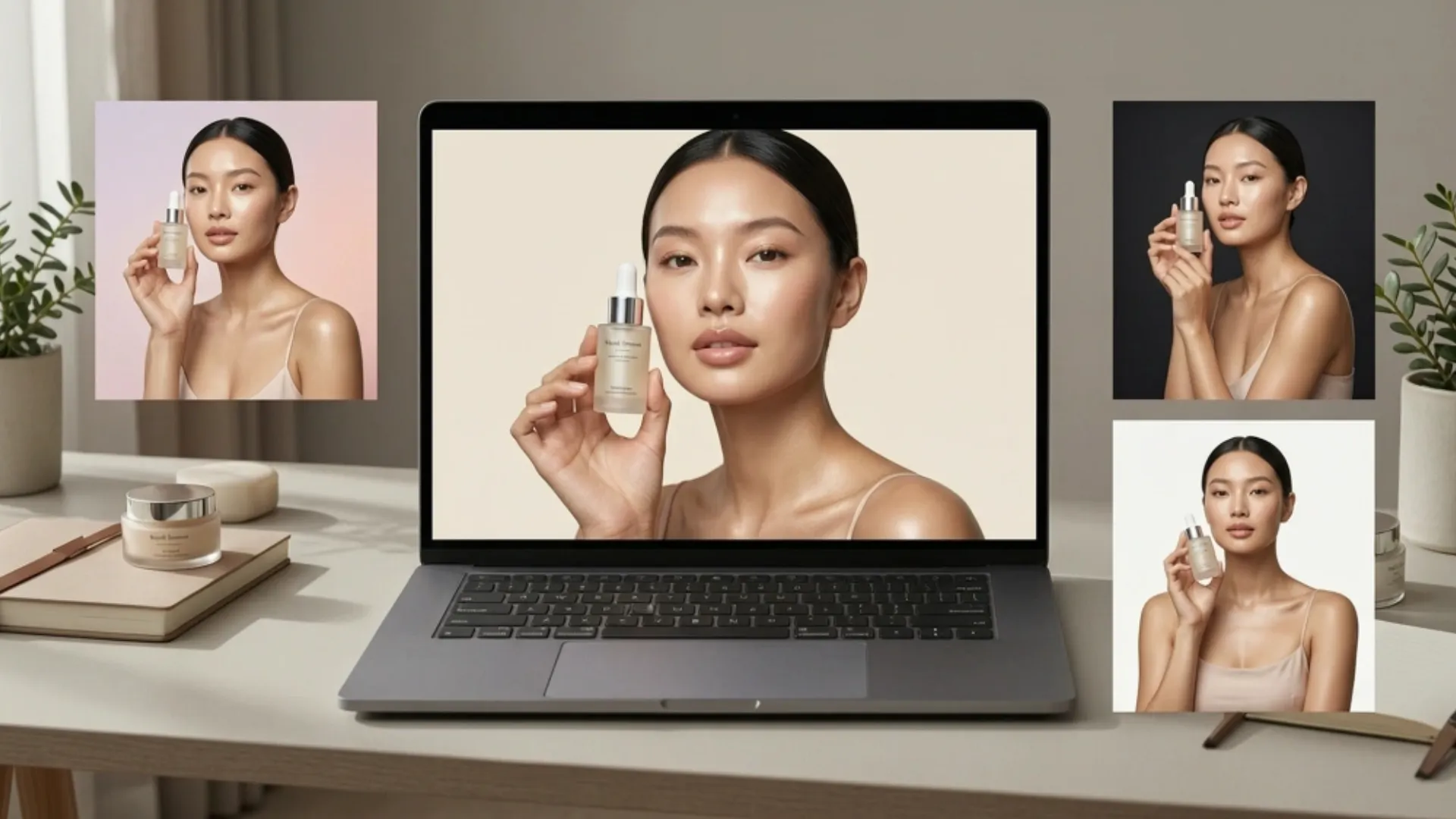


A serum bottle on a white background tells a customer what your product is. That same serum held by a model with glowing skin and soft morning light tells them what it promises. In beauty, that gap between "information" and "aspiration" is where purchases happen.
Traditional model shoots close that gap, but they cost $3,000 to $8,000 per session once you factor in talent, styling, and retouching. For indie and growing skincare brands, that's a tough budget line to justify every time you launch a new SKU.
A beauty model AI tool lets you generate realistic on-model imagery from a single product photo. No casting, no studio, no five-figure invoices. Here's what actually works when using skincare product photography AI for model shots, which formats drive the most engagement, and the mistakes that make AI output look obviously fake.
What Makes Beauty Model Photography Different
Not all product categories need models the same way. A phone case works fine on a white background. A candle works in a styled room. But beauty is personal, and model imagery taps into that in ways product-only shots can't replicate.
Skin Texture and Lighting Carry the Entire Image
Beauty model photography lives or dies on how skin looks. Harsh lighting creates unflattering shadows. Over-smoothed skin looks artificial. The best beauty imagery has a quality where the model's skin looks real, slightly imperfect, and naturally lit. AI tools trained on beauty-specific outputs handle this well, but the source photo quality and scene selection matter more here than in almost any other product category.
Aspiration Outsells Information Every Time
A customer browsing skincare products is rarely just comparing ingredients. They're imagining results. On-model content, where a real-looking person uses the product in an aspirational setting, builds that emotional bridge. Beauty brands that pair product information with model imagery on listings and ads tend to see stronger engagement, higher save rates on social, and more clicks to product pages.
RELATED READING: AI Product Photography for Skincare: How to Get Studio Results
Five Model Shot Types Every Beauty Brand Should Be Using
Not all model shots serve the same purpose. A strong beauty visual strategy uses a mix of formats across listings, ads, and social content. Here are the five that consistently perform best.
Product-in-Hand Hero Shots
The most versatile format. A model holding your moisturizer, gripping a serum dropper, or wrapping their hand around a body lotion bottle. Product-in-hand shots communicate scale, create a human connection, and work as hero images on product pages, social ads, and website banners.
AI model tools generate realistic hands and arms with natural skin tones and textures. The product stays pixel-accurate while the model is built around it, so logos, labels, and packaging details stay sharp.
Application and Routine Scenes
A step beyond holding the product, application shots show someone actually using it. Fingers dabbing cream on a cheek. A mist is being sprayed on a face. A model mid-routine with a curated shelfie in frame. "In-use" imagery helps skincare customers visualize the product fitting into their own routine, which reduces hesitation at checkout.
Lifestyle Editorial Imagery
Full lifestyle scenes place the model and product into an environment that reinforces the brand story. A woman in a bathrobe at a sunlit vanity. Someone is applying a face mask on a calm Sunday morning.
Pairing AI lifestyle tools with model generation creates these scenes from a single product cutout. The AI virtual model skincare workflow handles lighting, depth, and environmental detail so the output feels editorial, not composited.
Diverse Skin Tone Variations
Beauty customers come in every skin tone, age, and body type. Showing your product on just one type of model limits who feels seen by your brand. AI model tools let you generate the same product shot across different skin tones and attributes in minutes.
For brands selling tinted products like foundations or lip colors, diverse model imagery also helps customers assess how the shade might look on them, reducing returns from color mismatches.
Short-Form Video With Models
Static model shots cover your listings and website. But short video clips with a human element, a hand picking up a product, a quick application sequence, consistently outperform stills in social ad performance.
AI video tools can turn your best model images into dynamic clips for Reels, TikTok, and paid ads without a separate production process.
How to Build Brand-Consistent AI Model Imagery
Generating individual model shots is easy. Making them all look like they belong to the same brand requires a few intentional decisions.
Align Model Selection With Your Actual Customer
Choose model attributes that reflect who shops with you, not a generic beauty ideal. If your audience is millennial women with a minimalist aesthetic, your AI models should reflect that. If you sell to a broad customer base, generate variations across skin tones, ages, and genders. The best AI model beauty brand imagery feels like it was cast with the same intention as a real campaign.
Keep Lighting and Color Language Consistent Across Every Image
If your brand leans warm and earthy, generate models in warm-toned lighting with organic textures. If your brand is cool, clinical, and minimal, stick to clean lighting and neutral settings. Consistency between your model imagery, product backgrounds, and packaging design is what builds visual brand recognition across platforms.
Build a Full Visual Set From Every Product
On-model shots work best as part of a complete image set. A strong beauty listing typically includes a white-background catalog shot, at least one model image, a lifestyle scene, and a detail close-up. Generating all of these from one source photo using a combination of background removal, model generation, and scene staging keeps your visual language consistent while keeping production costs minimal.
RELATED READING: AI Photo Editing for Luxury and High‑End Product Brands
Mistakes That Make AI Beauty Model Photos Look Off
The technology is good. But a few avoidable errors can make the output feel obviously AI-generated, which undermines trust with beauty customers who pay close attention to visual detail.
Skipping Color Accuracy Checks on Tinted Products
Beauty shoppers are extremely sensitive to color. A tinted moisturizer in "warm honey" needs to look exactly like warm honey. Always compare AI-generated images against the physical product before publishing. If saturation or white balance drifts even slightly, fix it. One color mismatch on a listing can trigger returns and damage credibility.
Using Generic Poses That Don't Match the Product
A model holding a tiny eye cream jar with a full-fist grip looks awkward. A face mist shown at arm's length doesn't make sense. Match the pose to how the product is actually used. Fingertip application for serums. A relaxed hold for larger bottles. A close-to-face angle for mists and sprays. Small details like these separate output that looks like a real campaign from output that feels like a stock photo.
Starting With a Low-Quality Source Photo
AI amplifies what you give it. A blurry, poorly lit product image produces blurry model shots. Shoot your source photo on a plain background with even, diffused light. Make sure labels are readable, and packaging is clean. An AI eraser tool can clean up small artifacts after background removal, but it can't fix a weak source image.
Conclusion
AI model photography gives beauty and skincare brands the editorial-quality visuals that used to require five-figure production budgets. The brands that get the most out of it treat AI as a creative tool, not just a shortcut, matching model selection, lighting, and poses to their actual brand identity.
Pick your hero SKU, generate a few on-model variations, and test them against your current product-only images.
Want on-model beauty shots, lifestyle scenes, and product videos from a single photo? Try Blend free and create professional beauty visuals in minutes.
Frequently Asked Questions
Can AI generate realistic model shots for skincare products specifically?
Yes. Modern tools produce natural-looking hands, faces, and skin textures that work well for serum, moisturizer, cleanser, and body care imagery.
Do AI beauty model photos look real enough for social media ads?
In 2026, the best tools produce output that is difficult to distinguish from real photoshoots, especially for product-in-hand and lifestyle formats used in beauty advertising.
How much does an AI model photography cost for a beauty brand?
Most AI tools cost $10 to $30 per month. A traditional beauty model shoot runs $3,000 to $8,000+ per session, including talent, styling, and retouching.
Can I generate diverse model representations with AI?
Yes. AI model tools let you select skin tone, age range, body type, and gender, making diverse representation available by default without casting multiple models.
What source photo quality do I need for good AI model output?
A sharp, evenly lit image on a clean background. Make sure labels are readable, and packaging is free of fingerprints, dust, or harsh reflections.
Should beauty brands use AI model shots alongside traditional product photos?
Yes. The strongest listings combine on-model images with clean catalog shots, lifestyle scenes, and detail close-ups. AI tools can generate all of these from one source photo.