


Hiring a model, booking a studio, coordinating hair and makeup, then hoping every garment photographs well in a single shoot day used to be the only way to get on model product photos for a clothing brand. If the lighting was off or a pose did not suit a piece, you either had to live with the result or pay for a reshoot.
AI has changed that. With Blend, you can upload a flat lay or garment photo and generate professional AI fashion model images with diverse models, natural poses, and realistic fabric rendering, without a studio. But the image you get depends entirely on what you ask for. Below is a prompt formula built for fashion, followed by 45 ready to use AI clothing prompts for every apparel category.
What Are AI Fashion Model Prompts
AI fashion model prompts are text descriptions that tell an AI tool how to generate an on-model product image from your garment photo. You describe the model type, pose, setting and lighting, and the AI produces a photorealistic scene with your product on a virtual model.
For example:
“Female model wearing a white linen midi dress, standing in a sunlit doorway, soft natural light from the left, relaxed editorial pose, warm neutral tones.”
One sentence defines the garment placement, model direction, environment and mood. A clear prompt like this can produce an image that looks like it came from a professional fashion product photography session.
RELATED READING: 9 Best AI Fashion Model Tools for Clothing Brands in 2026 (Tested & Compared)
How to Write High-Converting Fashion Model Prompts
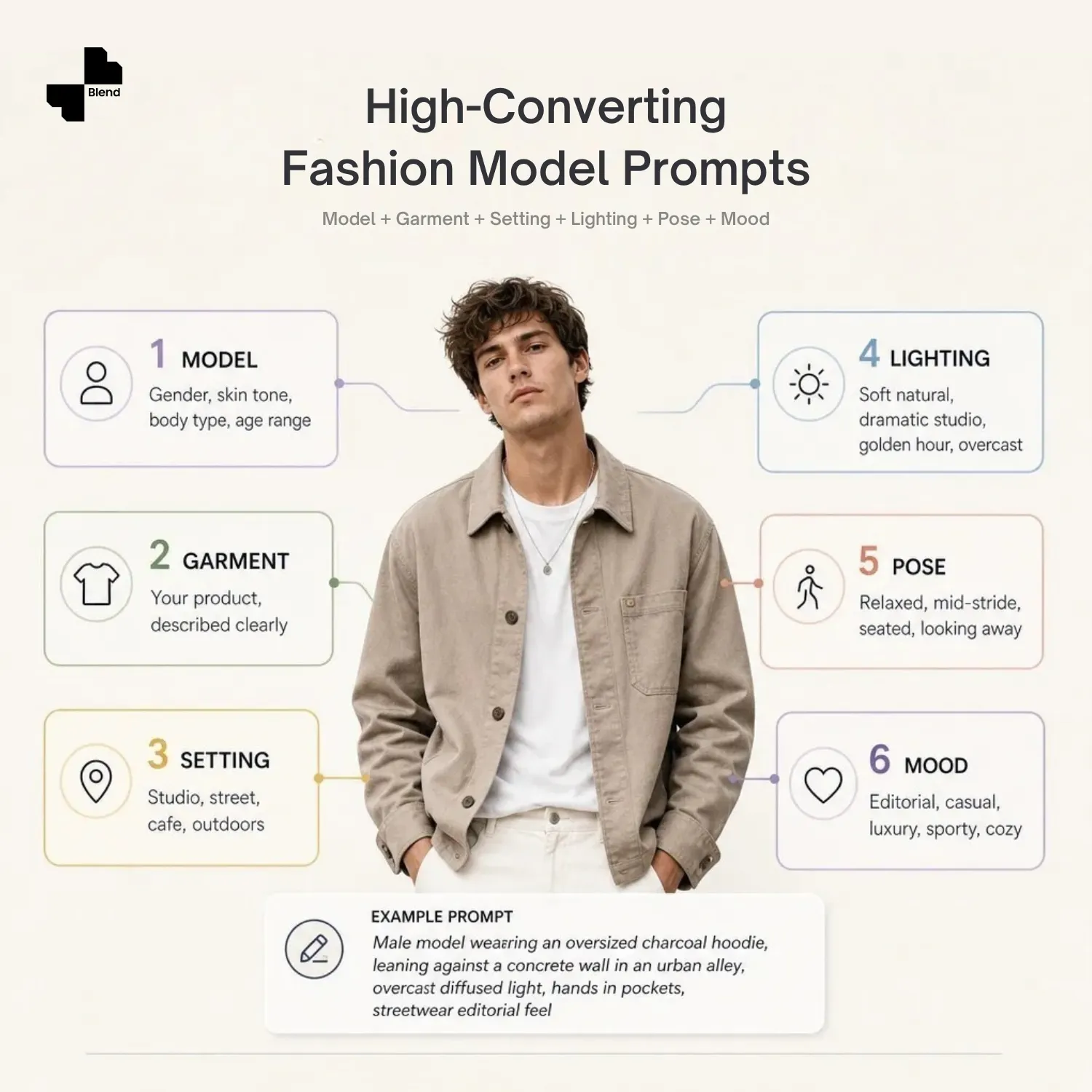
Use this structure: Model + Garment + Setting + Lighting + Pose + Mood.
Example:
“Male model wearing an oversized charcoal hoodie, leaning against a concrete wall in an urban alley, overcast diffused light, hands in pockets, streetwear editorial feel.”
Here is what each element controls:
• Model: gender, skin tone, body type, age range.
• Garment: what they are wearing - your product, described clearly.
• Setting: where the shot takes place (studio, street, cafe, outdoors).
• Lighting: direction and quality (soft natural, dramatic studio, golden hour, overcast).
• Pose: body position and energy (relaxed, mid-stride, seated, looking away).
• Mood: the visual tone (editorial, casual, luxury, sporty, cozy).
One tip that makes a big difference: describe the pose in physical terms (“arms crossed, looking over shoulder”) rather than abstract ones (“confident energy”). AI tools respond much better to specific body direction than to a feeling you want the shot to have.
Every prompt below follows the same formula. Once one works well for a product, you can swap a single element, such as the setting, lighting, or pose, to create dozens of variations from the same garment photo without starting over.
45 Fashion and Apparel Model Prompts You Can Copy
Upload your garment photo to Blend’s AI fashion model generator and pair it with any of these fashion model prompts to create on-model visuals for listings, ads and social content.
Casual and Everyday Wear Prompts
Start here if most of your catalog is basics like tees, denim, and knitwear, pieces that sell based on how naturally they look in real life rather than on styling drama.
1. Casual T-Shirt and Jeans in the Park
Create a natural lifestyle photo of a female model wearing a cotton t-shirt and jeans, standing in a sunlit park. Keep the pose relaxed and the garment fit true to the reference photo. Use warm natural tones, soft daylight and a realistic, unposed feel.
2. Polo Shirt at an Outdoor Cafe
Create a candid lifestyle photo of a male model wearing a polo shirt, seated at an outdoor cafe table. Keep the garment’s fit and colour accurate to the uploaded photo. Use soft afternoon light, natural shadows and a relaxed, editorial feel.
3. Summer Dress Mid-Stride
Create a natural street-style photo of a female model wearing a summer dress, walking on a sidewalk mid-stride. Preserve the dress’s fabric texture and print from the reference photo. Use warm golden-hour light, gentle motion in the fabric and shallow depth of field.
4. Chinos and Crew Neck Against a Brick Wall
Create a casual editorial photo of a male model wearing chinos and a crew neck sweater, leaning against a brick wall with hands in pockets. Keep the garment fit and colour true to the source photo. Use soft natural light, realistic shadows and a relaxed urban mood.
5. Denim Jacket by a Shop Window
Create a realistic street photo of a female model wearing a denim jacket, standing near a shop window. Preserve the denim’s texture and stitching detail from the reference photo. Use soft overcast light, natural reflections in the glass and a casual, candid pose.
6. Linen Shirt on a Clean Studio Backdrop
Create a clean studio photo of a male model wearing a casual linen shirt, arms crossed. Preserve the linen texture and natural drape from the reference photo. Use a plain white backdrop, soft even studio lighting and a confident, simple pose.
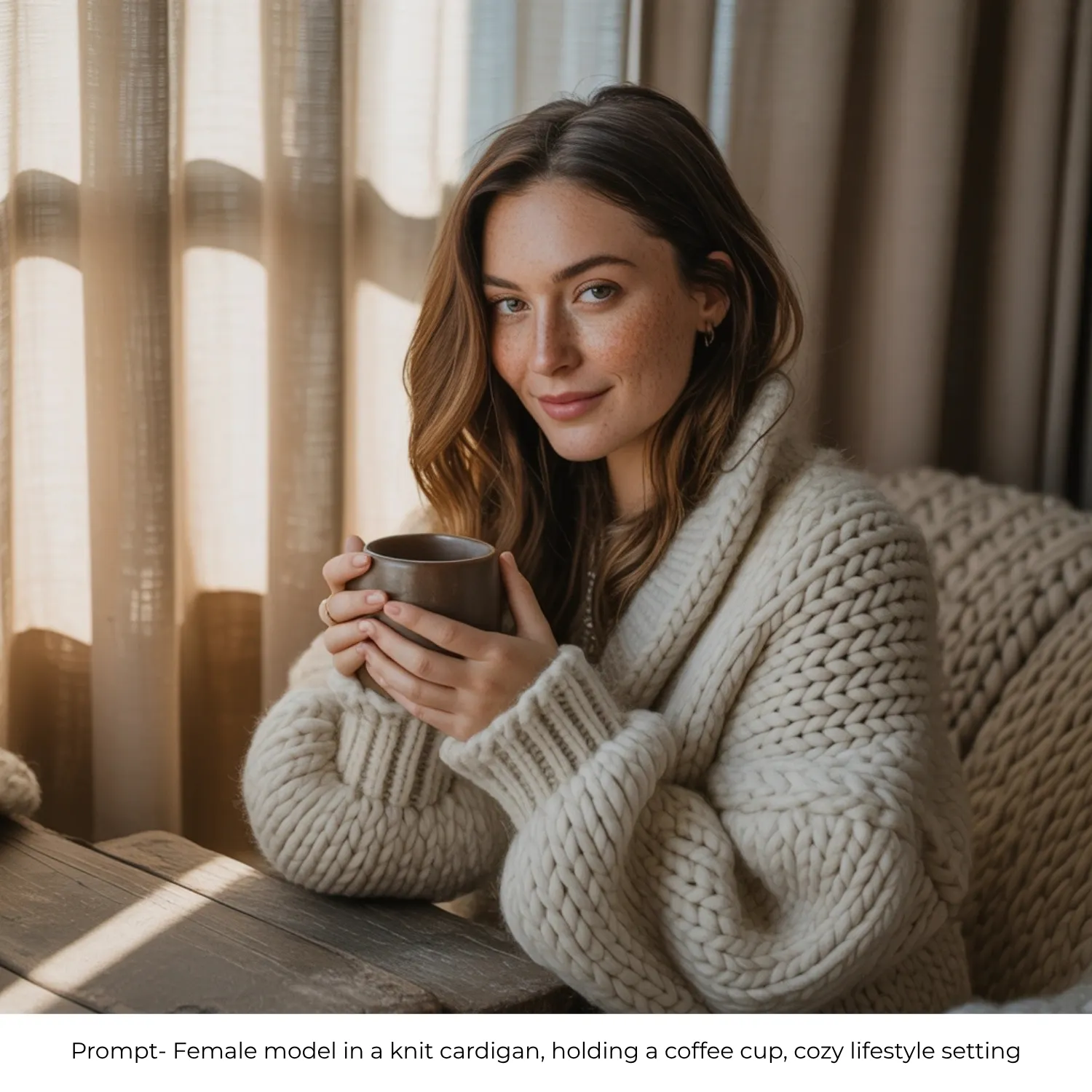
7. Knit Cardigan With a Coffee Cup
Create a cozy lifestyle photo of a female model wearing a knit cardigan, holding a coffee cup. Keep the knit texture and colour accurate to the garment photo. Use warm indoor lighting, soft shadows and a relaxed, natural expression.
8. Joggers and Henley on Apartment Steps
Create a candid lifestyle photo of a male model wearing joggers and a henley top, seated on apartment steps. Preserve the garment fit and fabric texture from the reference photo. Use soft morning light, natural shadows and a relaxed, unposed feel.
Formal and Evening Wear Prompts
For suiting, dresses and occasion wear, these prompts lean into studio polish and controlled lighting rather than candid movement.
9. Black Cocktail Dress on a Dark Backdrop
Create a dramatic studio photo of a female model wearing a black cocktail dress, standing against a dark backdrop. Preserve the dress’s silhouette and fabric sheen from the reference photo. Use a dramatic spotlight, deep shadows and an elegant, editorial pose.
10. Tailored Navy Suit
Create a polished studio photo of a male model wearing a tailored navy suit, shown in a three-quarter turn. Keep the tailoring and fabric detail accurate to the garment photo. Use a clean grey cyclorama background, even studio lighting and a confident, professional stance.
11. Silk Blouse and Trousers on a Velvet Chair
Create an editorial photo of a female model wearing a silk blouse and trousers, seated on a velvet chair. Preserve the silk’s sheen and drape from the reference photo. Use soft editorial lighting, rich shadows and a refined, relaxed pose.
12. Dress Shirt and Tie, Corporate Crop
Create a corporate editorial photo of a male model wearing a dress shirt and tie. Keep the shirt’s fit and texture true to the source image. Use sharp directional light, a clean crop and a confident, professional expression.
13. Full-Length Evening Gown
Create a full-length editorial photo of a female model wearing an evening gown. Preserve the gown’s fabric flow and detailing from the reference photo. Use soft rim lighting from behind, a dark background and an elegant standing pose.
14. Tuxedo, Moody Studio Light
Create a moody studio photo of a male model wearing a tuxedo, looking over one shoulder. Keep the tailoring and fabric sheen accurate to the garment photo. Use a dark background with subtle highlights and dramatic, low-key lighting.
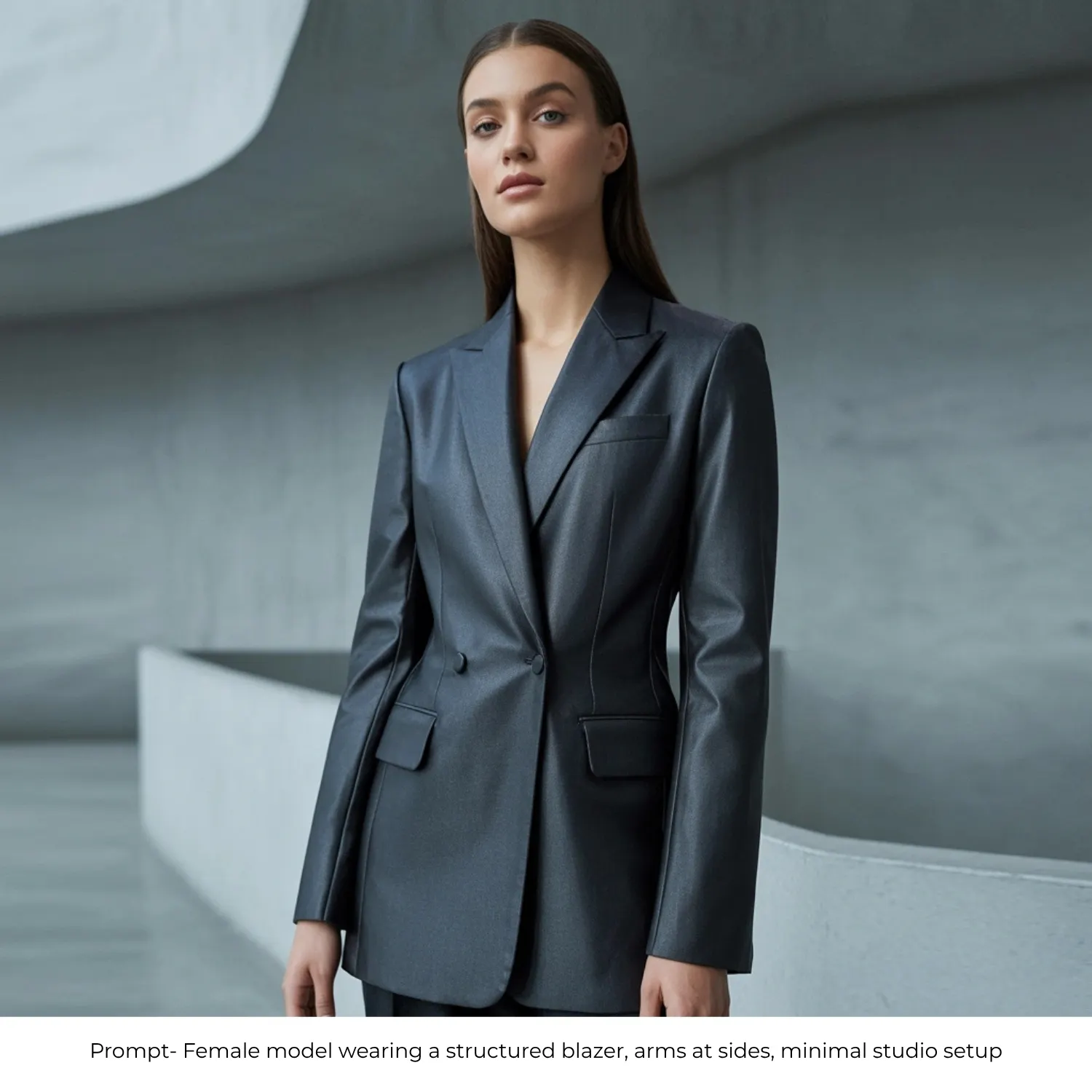
15. Structured Blazer, Minimal Studio
Create a minimal studio photo of a female model wearing a structured blazer, arms at her sides. Preserve the blazer’s tailoring and structure from the reference photo. Use a simple studio setup, even lighting and a clean, confident pose.
RELATED READING: 35 AI Prompts for Instagram Influencers to Create High-Engagement Photos
Streetwear and Urban Fashion Prompts
Streetwear reads authentic when the setting does the work — these prompts pair the garment with a real urban backdrop instead of a plain one.
16. Oversized Hoodie and Cargo Pants on a Graffiti Wall
Create an urban editorial photo of a female model wearing an oversized hoodie and cargo pants, in front of a graffiti wall. Keep the hoodie’s fit and print accurate to the reference photo. Use overcast diffused light and a relaxed streetwear pose.
17. Bomber Jacket at a City Crosswalk
Create a candid street photo of a male model wearing a bomber jacket, standing at a city crosswalk. Preserve the jacket’s texture and colour from the garment photo. Use natural daylight, realistic urban background blur and a confident stance.
18. Cropped Top and High-Waisted Pants on a Rooftop
Create a rooftop editorial photo of a female model wearing a cropped top and high-waisted pants. Keep the garment fit and colour true to the reference image. Use warm golden-hour light, a city skyline backdrop and a relaxed, natural pose.
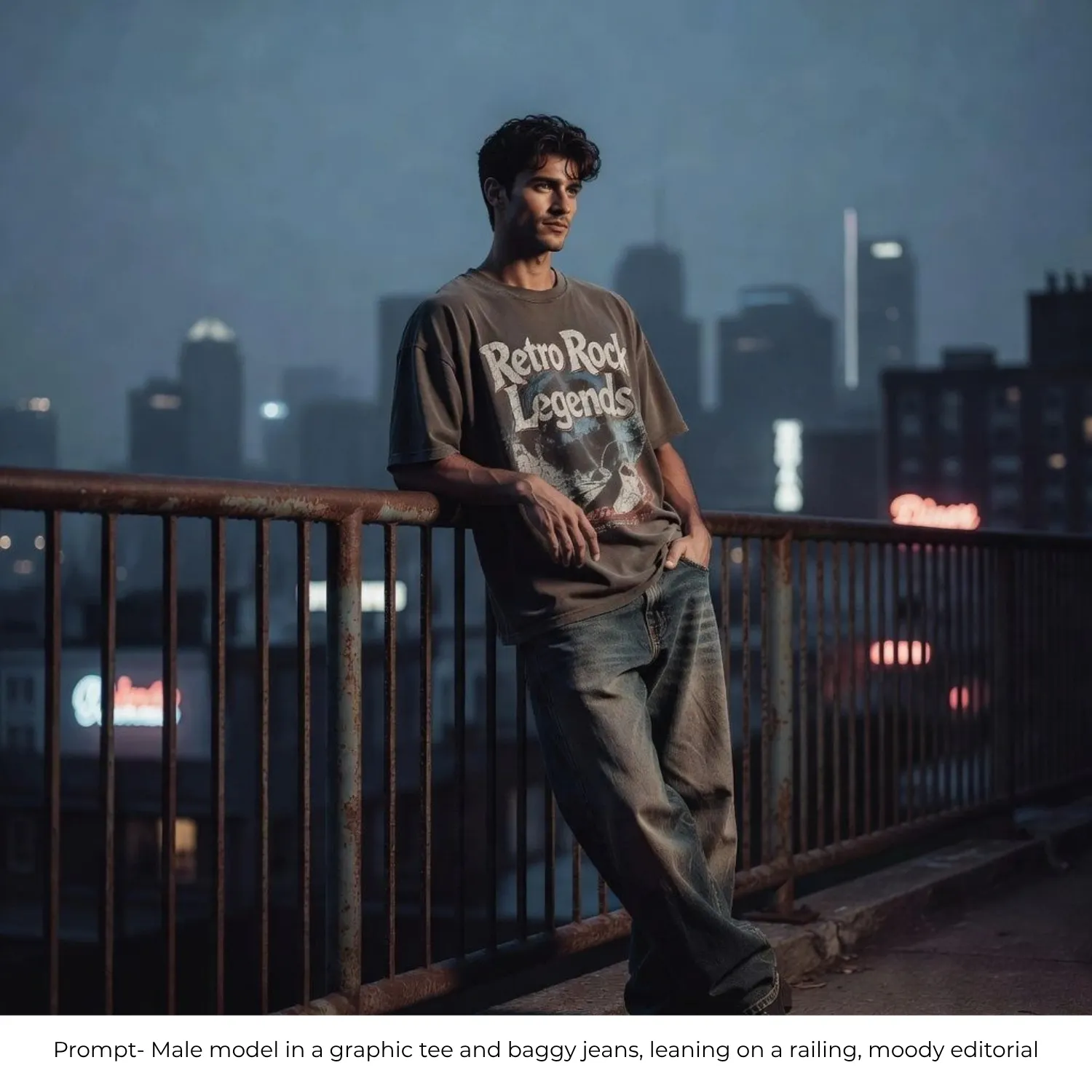
19. Graphic Tee and Baggy Jeans on a Railing
Create a moody urban photo of a male model wearing a graphic tee and baggy jeans, leaning on a railing. Preserve the print detail and denim texture from the source photo. Use overcast light, soft shadows and a relaxed streetwear stance.
20. Puffer Jacket at an Outdoor Market
Create a candid street-style photo of a female model wearing a puffer jacket, walking through an outdoor market. Keep the jacket’s texture and fit accurate to the reference photo. Use natural daylight, realistic background movement and an authentic, unposed feel.
21. Tracksuit on a Concrete Bench
Create a realistic urban photo of a male model wearing a tracksuit, seated on a concrete bench. Preserve the tracksuit’s fabric and fit from the garment photo. Use sharp afternoon shadows, natural light and a relaxed, casual pose.
22. Bucket Hat and Oversized Shirt Near a Food Truck
Create a casual street photo of a female model wearing a bucket hat and an oversized shirt, standing near a food truck. Keep the garment details accurate to the reference photo. Use natural daylight, a lively background and an easygoing, candid expression.
Activewear and Athleisure Prompts
Movement and fit matter more than mood here. These prompts favour bright, even lighting and poses that show how the fabric performs.
23. Sports Bra and Leggings, Mid-Stretch
Create a bright studio photo of a female model wearing a sports bra and leggings, captured mid-stretch. Preserve the fabric texture and fit from the reference photo. Use even gym lighting, natural muscle definition and a dynamic, athletic pose.
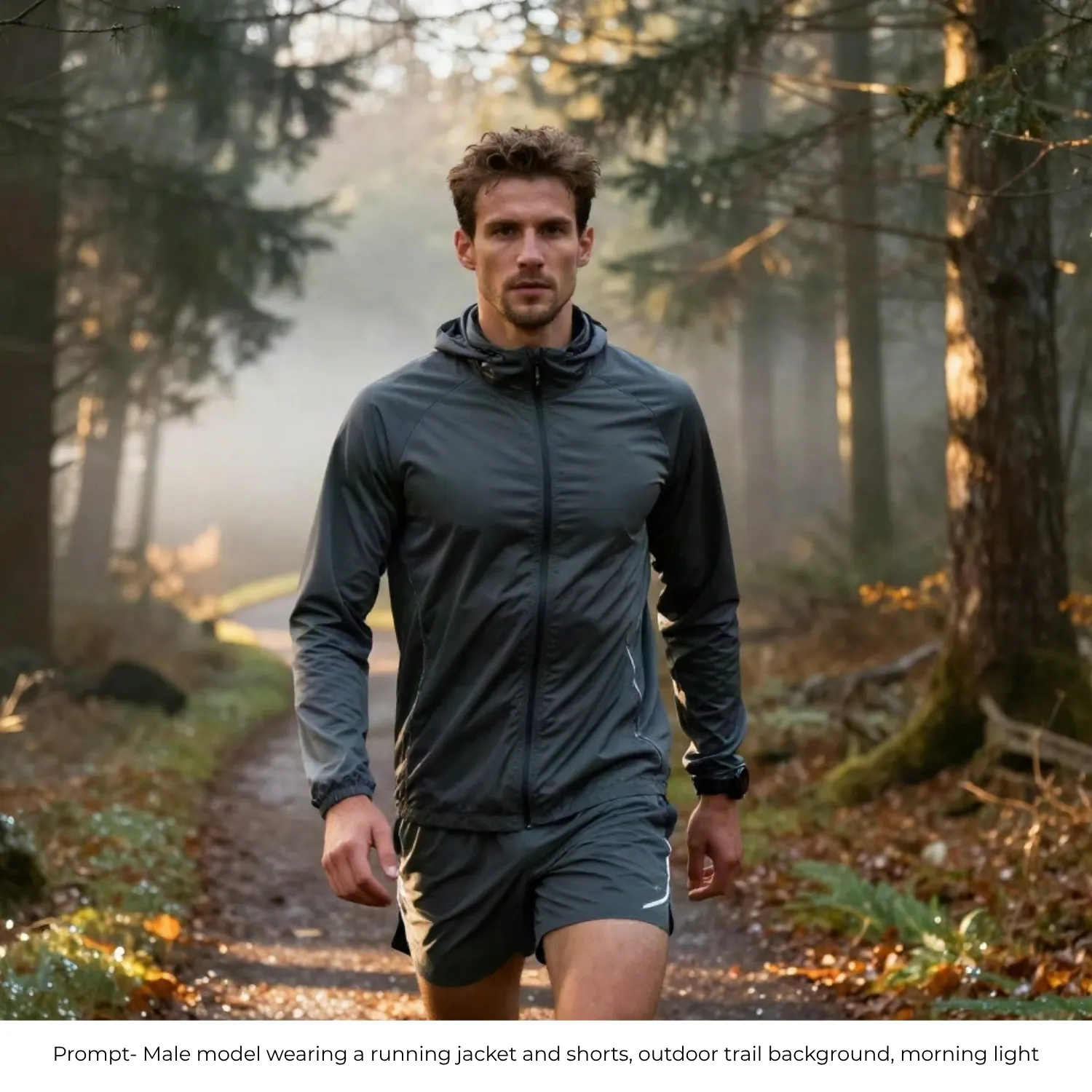
24. Running Jacket and Shorts on a Trail
Create an outdoor action photo of a male model wearing a running jacket and shorts, on a trail background. Keep the jacket’s fit and breathable texture accurate to the garment photo. Use soft morning light and a natural, active stance.
25. Yoga Outfit, Cross-Legged on a Mat
Create a calm studio photo of a female model wearing a yoga outfit, seated cross-legged on a mat. Preserve the fabric texture and fit from the reference photo. Use soft natural studio light and a relaxed, grounded pose.
26. Tank Top and Athletic Shorts, Clean Studio
Create a clean studio photo of a male model wearing a tank top and athletic shorts, standing with hands on hips. Keep the garment fit accurate to the source image. Use a plain white backdrop, even lighting and a confident athletic stance.
27. Zip-Up Hoodie and Bike Shorts in the Park
Create a natural outdoor photo of a female model wearing a zip-up hoodie and bike shorts, walking through a park. Preserve the garment texture and fit from the reference photo. Use warm overcast light and a relaxed, active pose.
28. Compression Tights and Sneakers, Action Pose
Create a dynamic studio photo of a male model wearing compression tights and sneakers, captured in an action pose. Keep the fabric detail and fit accurate to the garment photo. Use studio lighting with subtle motion blur for an energetic feel.
29. Matching Lounge Set on a Couch
Create a cozy lifestyle photo of a female model wearing a matching lounge set, relaxed on a couch. Preserve the fabric texture and fit from the reference photo. Use soft warm lighting and a natural, at-ease pose.
Ghost Mannequin and Flat Lay Prompts
Not every product needs a model. For items where fit and fabric detail matter more than styling context, Blend’s Ghost Mannequin feature and clean flat lays are the better choice.
30. Blazer on Invisible Mannequin
Create a clean ghost mannequin photo of a blazer, shown from the front on a white background. Preserve the garment’s structure and stitching from the reference photo. Use sharp, even lighting to keep every seam and button clearly visible.
31. Button-Down Shirt Flat Lay on Marble
Create a flat lay photo of a button-down shirt on a marble surface, with sleeves neatly folded. Keep the fabric texture and print accurate to the reference photo. Use an overhead angle and soft natural light for a clean, minimal look.
32. Dress on Ghost Mannequin, Side Detail
Create a ghost mannequin photo of a dress from a side angle, showing the neckline and waist detail clearly. Preserve the fabric drape and detailing from the reference photo. Use soft side lighting to highlight the garment’s shape.
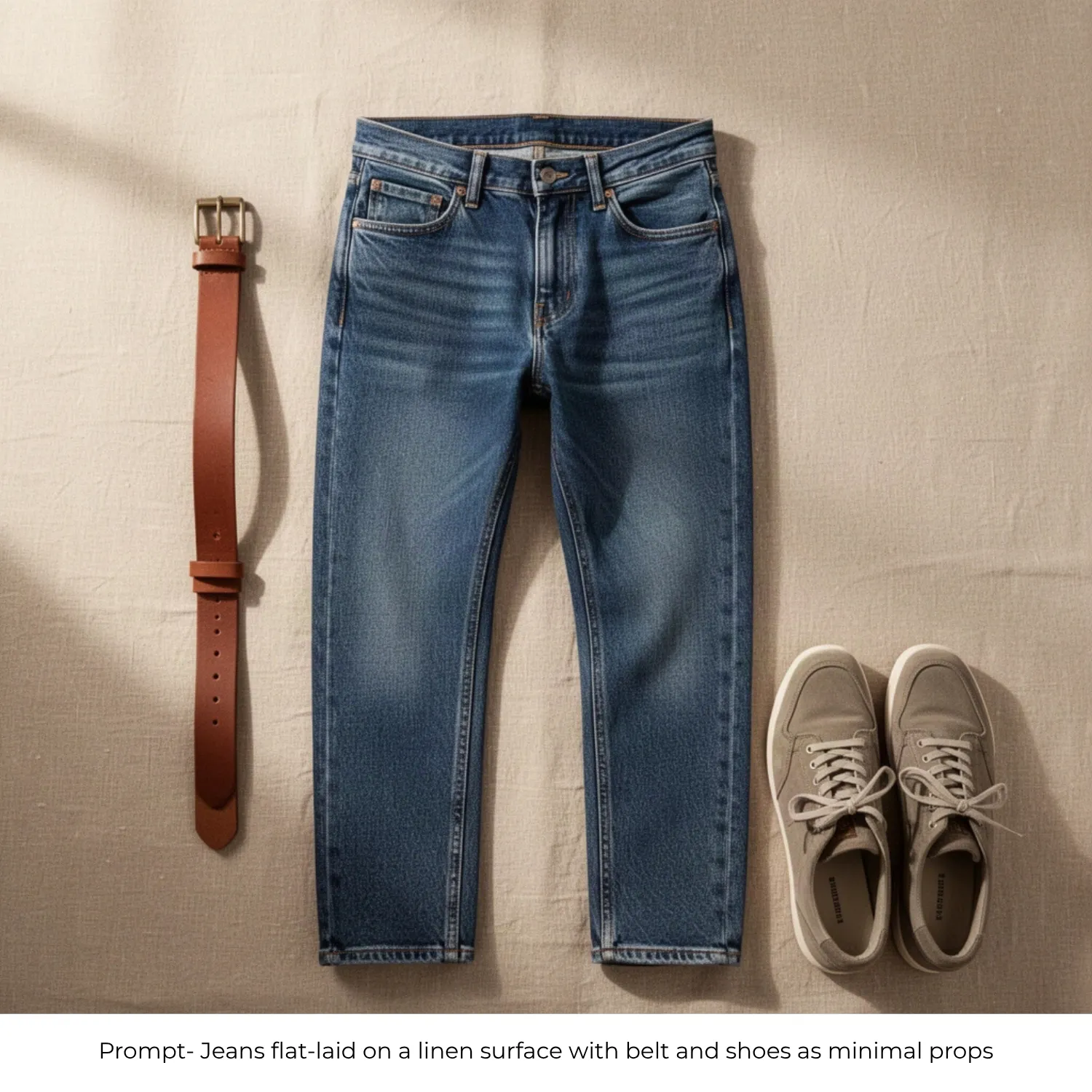
33. Jeans Flat Lay With Minimal Props
Create a flat lay photo of jeans on a linen surface, styled with a belt and shoes as minimal props. Keep the denim texture and stitching accurate to the reference photo. Use soft natural light and a clean, editorial composition.
34. Jacket Rear View on Mannequin
Create a studio ghost mannequin photo of a jacket from the rear, showing the back panel and tag clearly. Preserve the fabric texture and construction from the reference photo. Use even studio lighting for accurate colour and detail.
35. Folded Sweater Stack on a Shelf
Create a lifestyle flat lay of a folded sweater stack on a wooden shelf. Keep the knit texture and colour accurate to the reference photo. Use soft window light for a warm, natural retail feel.
36. Symmetrical T-Shirt Flat Lay
Create a clean flat lay photo of a t-shirt laid out with perfect symmetry. Preserve the print and fabric texture from the reference photo. Use a clean gradient background and even lighting for a polished, minimal look.
37. Hoodie on Ghost Mannequin, Three-Quarter Angle
Create a ghost mannequin photo of a hoodie from a three-quarter angle. Preserve the fabric texture and drawstring detail from the reference photo. Use soft diffused lighting to keep the garment’s shape natural and true to size.
Seasonal and Campaign Prompts
Rotate these prompts to match product launches and seasonal campaigns. Generate fashion lifestyle scenes that feel timely without scheduling a new shoot.
38. Winter Coat in a Snowy Street
Create a seasonal editorial photo of a female model wearing a winter coat, walking through a snowy street. Preserve the coat’s texture and fit from the reference photo. Use soft cool-toned light and realistic falling snow for an authentic winter feel.
39. Linen Shirt on a Beach Boardwalk
Create a bright summer photo of a male model wearing a linen shirt, standing on a beach boardwalk. Keep the fabric texture and fit accurate to the garment photo. Use bright natural sunlight and a relaxed, warm-weather pose.
40. Floral Dress in a Spring Garden
Create a spring editorial photo of a female model wearing a floral dress in a garden setting. Preserve the print and fabric flow from the reference photo. Use warm pastel morning light and a soft, natural pose.
41. Leather Jacket Under Autumn Trees
Create an autumn editorial photo of a male model wearing a leather jacket, standing under trees with golden leaves. Keep the leather’s texture and fit accurate to the garment photo. Use warm golden-hour side light for a rich seasonal mood.
42. Holiday Party Dress With String Lights
Create a festive indoor photo of a female model wearing a holiday party dress, with warm string lights in the background. Preserve the dress’s fabric sheen and detailing from the reference photo. Use warm ambient lighting and a celebratory, relaxed pose.
43. Raincoat on a Wet City Street
Create a moody campaign photo of a male model wearing a raincoat, on a city street with wet reflections. Keep the raincoat’s texture and fit accurate to the reference photo. Use overcast light and realistic reflections for an atmospheric feel.
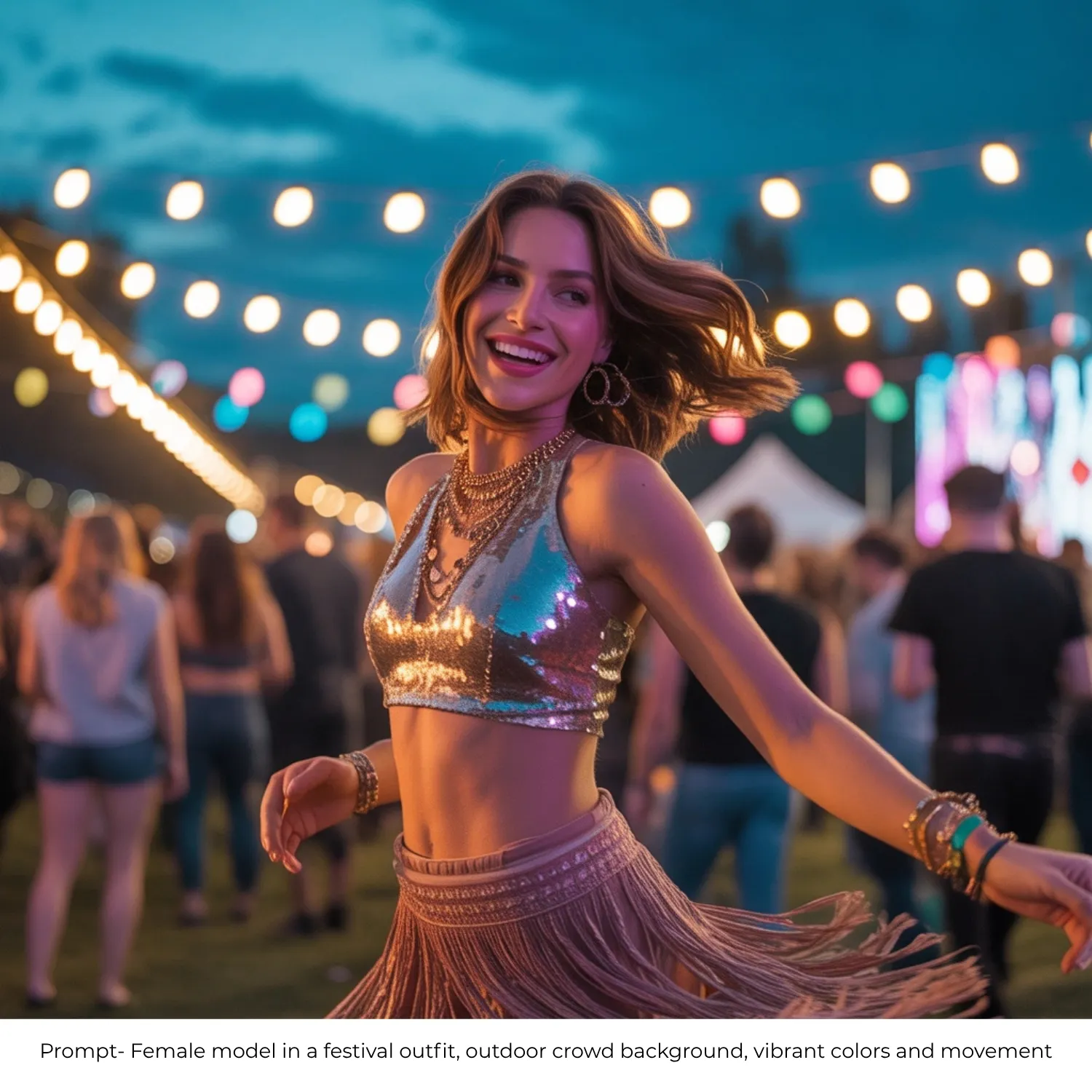
44. Festival Outfit in a Crowd
Create a vibrant festival photo of a female model wearing a festival outfit, with an outdoor crowd in the background. Preserve the garment’s colour and detail from the reference photo. Use natural light, a sense of movement and vibrant, energetic tones.
45. Resort Wear Poolside
Create a bright resort photo of a male model wearing resort wear, in a poolside setting. Keep the garment’s fit and texture accurate to the reference photo. Use bright midday sun, tropical greenery and a relaxed vacation mood.
RELATED READING: How to Generate Lifestyle Scenes That Match Your Brand Colors with AI
How to Create Fashion Model Photos With Blend
You don’t need a studio day to put your catalog on models. With Blend’s AI Model feature, you can describe the model, garment and scene in plain language and generate the shot around your idea. You can then refine the result using Blend’s editing tools instead of rebooking a shoot every time something needs to change.
Step 1: Upload Your Garment Photo
Open Blend and upload a clear flat lay or product photo of the garment. A clean, well-lit source photo with the garment fully visible gives the AI the clearest read on shape, texture and print, which produces the most accurate on-model result.
Step 2: Write Your Fashion Model Prompt
This is where your prompt does the heavy lifting. Use the Model + Garment + Setting + Lighting + Pose + Mood formula from above, or copy one of the 45 prompts and swap in your own garment details.
For example:
“Female model wearing this dress, standing in a sunlit doorway, soft natural light from the left, relaxed editorial pose, warm neutral tones.”
The more specific your description, the closer the first result is likely to be to what you have in mind.
Step 3: Generate Your AI Fashion Model Photo
Submit your prompt and let Blend generate the image. If the first version isn’t quite right, you don’t need to start over, adjust the prompt with a more specific instruction and generate another version.
For example, you could ask for a different pose, a warmer light, or a more editorial mood. This makes it easy to test several looks from the same garment photo until one fits your listing or campaign.
Step 4: Edit the Generated Photo
Once you have a version you like, use Blend’s editing tools to make smaller changes without regenerating the whole image. You can swap backgrounds, or use Magic Eraser to clean up distracting objects pulling attention away from the garment.
Step 5: Refine the Details With Assist
Want a more specific change? Tell Blend what to adjust in plain language. Its Assist workflow lets you describe changes and refine the image until the pose, lighting or mood matches your idea more closely.
Step 6: Turn a Still Into an AI Video
You don’t have to stop at a photo. Explore Blend’s AI Videos feature to turn a still fashion model shot into a short moving clip with a turn, a walk, or natural fabric flow for Reels, TikTok, or product page content.
RELATED READING: AI Video Generator From Image: A Complete Guide for Creators & Businesses
Step 7: Export and Publish
Once you’re happy with the result, export the image at full resolution for your listing, ad creative or social post. You can build out a full lookbook from one garment photo by generating several prompts across different settings and moods, all without booking another shoot.
Frequently Asked Questions
What is an AI fashion model generator?
An AI fashion model generator creates photorealistic on-model product images from garment photos. You upload a flat lay or product shot, choose a model, and describe the pose, setting and lighting you want.
Can AI model shots replace a traditional fashion photoshoot?
For ecommerce listings, social media and ad creatives, yes. AI-generated model shots match studio quality at a fraction of the cost and turnaround time. Flagship editorial campaigns may still benefit from a live shoot.
How do I get natural-looking poses in AI fashion photos?
Describe the pose in physical terms: “arms crossed, looking over left shoulder” or “mid-stride, one hand in pocket.” Abstract descriptions like “confident energy” produce inconsistent results.
Do AI fashion model tools preserve garment details like prints and textures?
Quality tools like Blend preserve fabric texture, print placement, stitching and garment shape during generation. Start with a clean, well-lit product photo for the best detail retention.
What input works best for AI model generation, flat lay or mannequin shot?
Both work well. A clean flat lay on a plain background or a ghost mannequin shot gives the AI the clearest view of the garment’s shape and detail, which produces the most accurate on-model result.
Are AI-generated model photos accepted on Shopify and Amazon?
Yes. Both platforms accept AI-generated on-model imagery as long as the product is accurately represented. Most brands use AI model shots as secondary listing images alongside a clean white-background hero shot.
What’s a good AI prompt for a model photoshoot?
A good model photoshoot prompt names the model, the garment, the setting, the lighting and the pose in one clear sentence — for example, “female model in a linen dress, seated at an outdoor cafe, soft afternoon light, relaxed pose.” The more specific each element, the closer the result matches what you have in mind.
What is a clothing prompt for AI?
A clothing prompt for AI is a text description that tells the tool how to place your garment on a model or in a styled scene. It typically covers the garment, the model, the setting and the lighting, so the AI has enough detail to generate a realistic, on-brand result instead of guessing.
Can I generate a fashion model prompt for a specific pose?
Yes. Describe the pose in physical terms rather than a mood — “hands in pockets, looking over left shoulder” works far better than “confident energy.” Specific body direction gives the AI something concrete to render.
Does this work for a coat or outerwear photoshoot prompt?
Yes. Outerwear like coats and jackets works well with either a model shot or a ghost mannequin prompt, depending on whether you want to show fit on a body or highlight construction and lining detail.
Put Your Catalog on Models Without a Single Shoot
AI can generate the model shot, but it will not style the scene for you. A vague prompt produces a vague photo. The formula above gives you control over every element: the model, the garment, the setting and the mood.
Upload your garments to Blend, pick the prompts that match your collection, and generate ecommerce clothing photography that looks like a full production shoot. You can also turn any of these stills into short-form fashion videos for Reels, TikTok and product page content.
Ready to put your apparel on AI models? Start creating for free with Blend and turn flat lays into full lookbooks.