



Blend is a product marketing suite built for ecommerce sellers that covers video, studio photography, lifestyle scenes, model imagery, and image editing in one dashboard. Kling AI is a broader AI creative studio with industry-leading video generation, plus virtual try-on, image creation, and native audio.
Both tools generate video from product photos and offer virtual try-on for apparel. The real difference is focus. Kling AI serves video creators, filmmakers, and social content producers across industries. Blend is built specifically for online sellers who need a complete set of listing visuals, not just one format. For sellers running stores on Amazon, Shopify, or Etsy, that distinction shapes every part of the workflow, from the first upload to the final product video on a listing page.
Where Kling AI and Blend Overlap
Kling AI and Blend share two core capabilities that matter to anyone marketing products online. Knowing exactly what both tools handle, and how each approaches the same job, sets up a clearer picture of where real differences emerge in a production workflow.
Image-to-Video Generation

Kling AI turns a product photo into a short video clip with camera movement, lighting shifts, and physics-based motion. Kling 3.0 (launched February 2026) supports up to 15-second clips with native audio and multi-shot narrative generation. For standalone video quality, Kling is one of the strongest options available.
Blend also converts product photos into short video content. Upload an image, pick a style, and the AI generates a clip formatted for TikTok, Instagram Reels, or Amazon listings. Blend optimizes for marketplace-ready clips that fit platform specs out of the box rather than cinematic storytelling.
Virtual Try-On for Fashion and Apparel
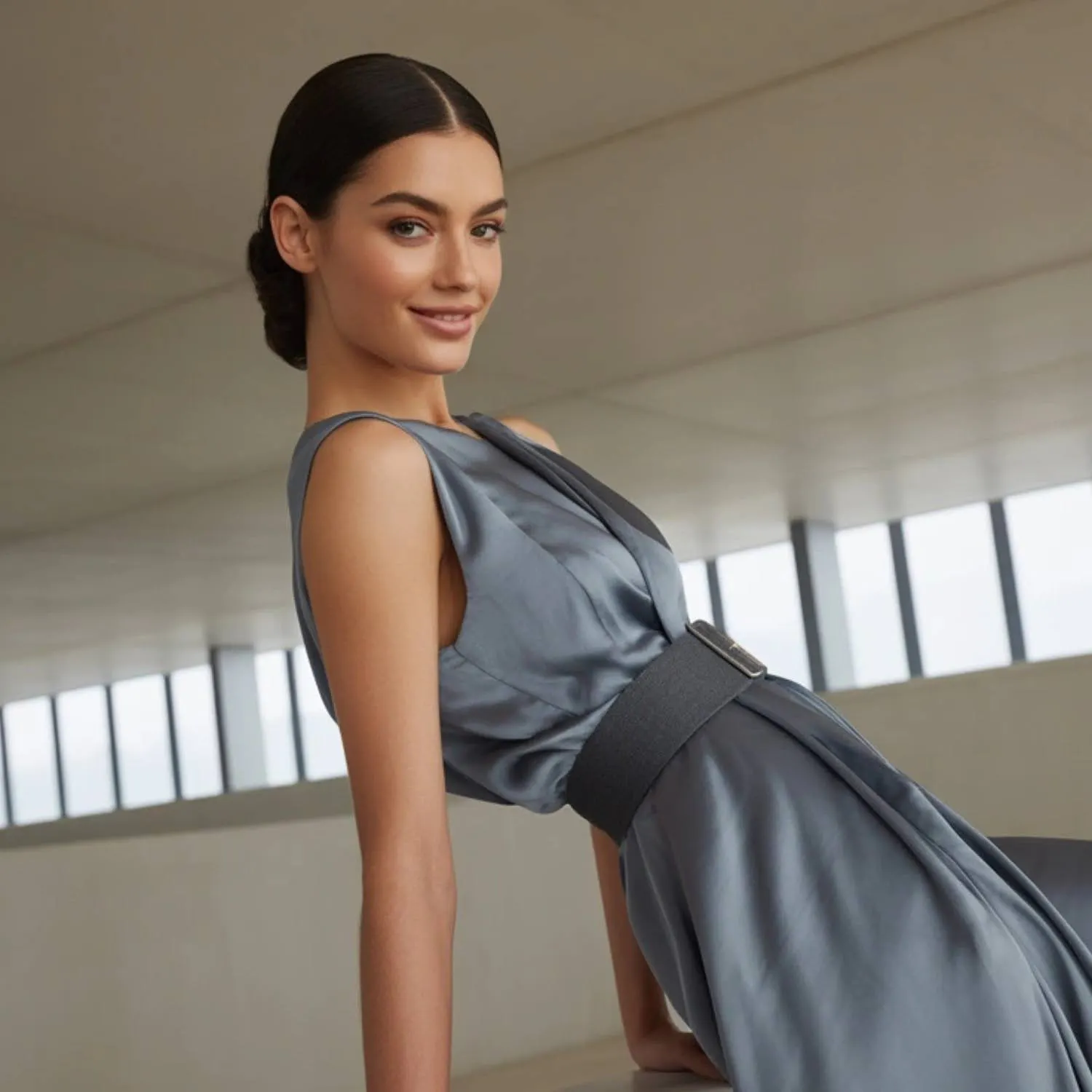
Kling AI includes a Kolors-powered virtual try-on feature that generates on-model images and videos from garment photos. The tool supports single-garment and multi-garment try-on, custom model uploads, and multiple aspect ratios. For video-first fashion content, Kling's try-on is capable and well-documented.
Blend's AI Models try-on is built for ecommerce catalog imagery specifically. Upload a flat product photo, choose a model, select a pose and body type, and get a listing-ready on-model image that preserves garment fit, color, and texture. Kling's try-on leans toward creative and social video outputs. Blend's produces catalog-quality stills built for product detail pages.
RELATED READING: How to Create AI Product Videos for Ecommerce Listings
Where Blend Pulls Ahead for Ecommerce Sellers
Kling AI is a strong creative tool that has expanded well beyond video. Blend's advantage is scope and simplicity for the specific job of building complete product listings. Every feature below sits inside one dashboard and works from the same product photo.
A Full Listing Visual Suite in One Dashboard

A marketplace listing needs more than video and try-on. Sellers filling out an Amazon or Shopify product page typically need five or more visual formats to complete a single listing:
- White-background studio shots with corrected lighting and natural shadows
- Lifestyle images placing the product in a realistic setting
- On-model try-on images for apparel and accessories
- Background-swapped variants and detail close-ups
Kling AI covers video and try-on. Studio photography, lifestyle scenes, one-tap background removal, and object cleanup all require separate tools. Blend generates every one of those outputs from one product photo without switching platforms.
- Blend Tool: AI Videos + Studio Shot + Lifestyle Shot + AI Models
- Product Type: White sneaker
- Generation Brief: Single sneaker photo generating five outputs side by side. Studio shot on white background, lifestyle scene on a wooden shelf, AI model wearing the sneaker, a background-swapped detail shot, and a short video clip preview. Clean layout with clear visual separation between outputs.
- Visible UI Elements: Blend dashboard output gallery showing all five formats in a grid
- Caption: One product photo in Blend produces studio shots, lifestyle scenes, model imagery, and video. Kling AI covers video and try-on but requires separate tools for the rest.
Template-Based Workflows Instead of Prompt Engineering
Kling AI produces its best results when users write detailed prompts specifying camera movement, lighting, duration, and style. For experienced creators, that control is valuable. For sellers processing dozens of SKUs per week, the learning curve adds production time to every product.
Blend removes the prompt step. Upload a photo, select a format, and the AI handles composition, lighting, and platform formatting automatically. A seller with 50 products to photograph can produce listing-ready visuals across every format without learning prompt syntax or spending time iterating on phrasing.
Predictable Pricing vs. Credit Consumption
Kling AI uses credit-based pricing across five tiers, from a free plan up to Ultra at roughly 128-180/month depending on billing cycle and region (source). Credits burn faster on premium models like Kling 3.0, and higher-resolution or audio-enhanced clips consume significantly more per generation. Most sellers need multiple iterations per product to land on a usable result, so the per-clip cost adds up when processing a full catalog.
Blend bundles video creation into its product marketing suite alongside studio shots, lifestyle scenes, model imagery, and background removal at a predictable per-plan cost. No per-generation credit math required.

- Blend Tool: Full dashboard workflow
- Product Type: Denim jacket
- Generation Brief: Top row shows the Kling AI path with three steps. Product photo, then write prompt and generate video, then need separate tools for studio shots, lifestyle scenes, and background editing. Bottom row shows the Blend path with one step producing all outputs. Product photo flows into studio shot, lifestyle, model imagery, video, and background removal, all from one dashboard. Clean arrows and icons, no text-heavy labels.
- Visible UI Elements: Simplified workflow arrows showing tool coverage for each platform
- Caption: Kling AI handles video and try-on. Blend handles those plus every other listing visual from the same starting photo.
RELATED READING: AI Model Photography for Fashion Sellers
When Kling AI Is the Better Pick
Kling AI is a stronger choice for creators who need cinematic video quality, motion control, dance transfers, or native audio generation. If your primary need is high-end social video, short-film previsualization, or multi-shot narrative content, and you already handle product photography separately, Kling's video engine is built for exactly that. Blend is not trying to compete with Kling on cinematic video production.
What Ecommerce Sellers Should Prioritize
A complete product listing in 2026 runs on a full visual stack. Buyers see the main listing image, lifestyle photos, model shots, and detail close-ups before they ever hit play on a video. Here is how the two tools compare across the capabilities that matter most for ecommerce listings.
Capability | Blend | Kling AI |
Image-to-Video | Yes | Yes (industry-leading quality) |
Virtual Try-On | Yes (catalog-focused stills) | Yes (Kolors-powered, video-oriented) |
Studio Product Photography | Yes | No |
Lifestyle Scene Generation | Yes | No |
Background Removal | Yes | No |
Image Cleanup (Magic Eraser) | Yes | No |
Native Audio Generation | No | Yes |
Motion Control / Dance Transfer | No | Yes |
Prompt-Free Workflow | Yes (template-based) | No (prompt-based) |
Pricing Model | Flat per-plan rate | Credit-based (varies by model and resolution) |
Kling AI wins on cinematic video quality, audio, and motion features. Blend wins on listing coverage, workflow simplicity, and pricing predictability. For sellers who need every visual format from one product photo in one workspace, Blend covers more of the stack without requiring separate tools.
RELATED READING: Lifestyle Product Photography Without a Studio
Start Building Complete Listings
Blend matches Kling AI on product video generation, adds a catalog-focused try-on workflow, and includes studio shots, lifestyle scenes, background removal, and image cleanup in one connected workspace. Start creating for free at blendnow.com.
Frequently Asked Questions
Does Blend create product videos like Kling AI?
Yes. Blend converts product photos into short video clips with motion, transitions, and platform-ready formatting. The video tool sits inside the same dashboard where you generate studio shots, lifestyle scenes, and model imagery.
Does Kling AI offer virtual try-on for apparel?
Yes. Kling AI includes a Kolors-powered virtual try-on feature supporting single and multi-garment try-on with custom or AI-generated models. Blend also offers try-on, with its version optimized for ecommerce catalog imagery rather than social or creative video content.
Which tool covers more of a full product listing?
Blend covers more of the listing visual stack in one workspace. Studio shots, lifestyle images, model try-on, background removal, video, and image cleanup all work from the same product photo. Kling AI handles video and try-on but requires separate tools for the remaining formats.
How does pricing compare between Kling AI and Blend?
Kling AI uses credit-based pricing ranging from free up to roughly 128-180/month at the Ultra tier, with credits depleting faster on premium models and higher-quality settings. Blend bundles video with its full product photography suite at a per-plan price without per-generation credit variability.
Do I need to write prompts to use Blend?
No. Blend uses a template-based approach. Upload a product photo, choose a format, and the AI generates the output automatically. No detailed prompt writing is required for video, studio shots, lifestyle scenes, or model imagery.