


When you sell clothes online, your photos do much more than showcase products, they actually help customers decide whether to buy. Unlike shopping in a physical store, online shoppers can't touch or feel fabrics. That’s one of the reasons why they rely so much on clothing photography so they can judge the quality of your product.
The challenge is that creating professional clothing photography can be expensive. But that is not the case anymore. Creating high-quality apparel photography is easier than ever. With the right techniques and AI-powered tools like Blend, you can create professional product photos, lifestyle images, AI fashion model photography, and marketing content without the complexity of traditional workflows.
If you are an ecommerce clothes seller and want to know the best clothing photography tips, tricks, ideas, and how to photograph clothes professionally, read this article and increase your sales.
Types of Clothing Photography
Different styles of clothing photography serve different purposes. Most successful fashion brands use a combination of these approaches.
1. Flat Lay Clothing Photography
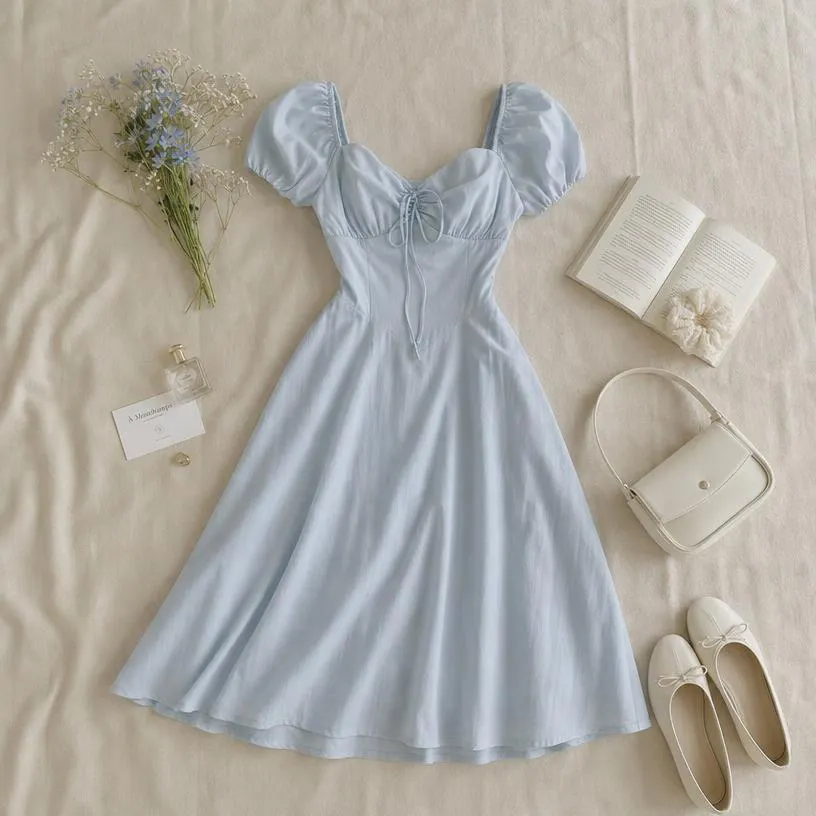
Flat lay clothing photography involves arranging garments on a flat surface and photographing them from above. This style is popular because it's simple, affordable, and effective. Flat lays work particularly well for showcasing clothing collections, outfit combinations, and social media content.
For small businesses and startups, flat lay photography is often the easiest way to create professional-looking apparel images without investing in expensive equipment.
Once you have captured your flat lay images, Blend can help you remove distracting backgrounds, improve presentation, and create polished visuals suitable for your online store.
2. Model Photography
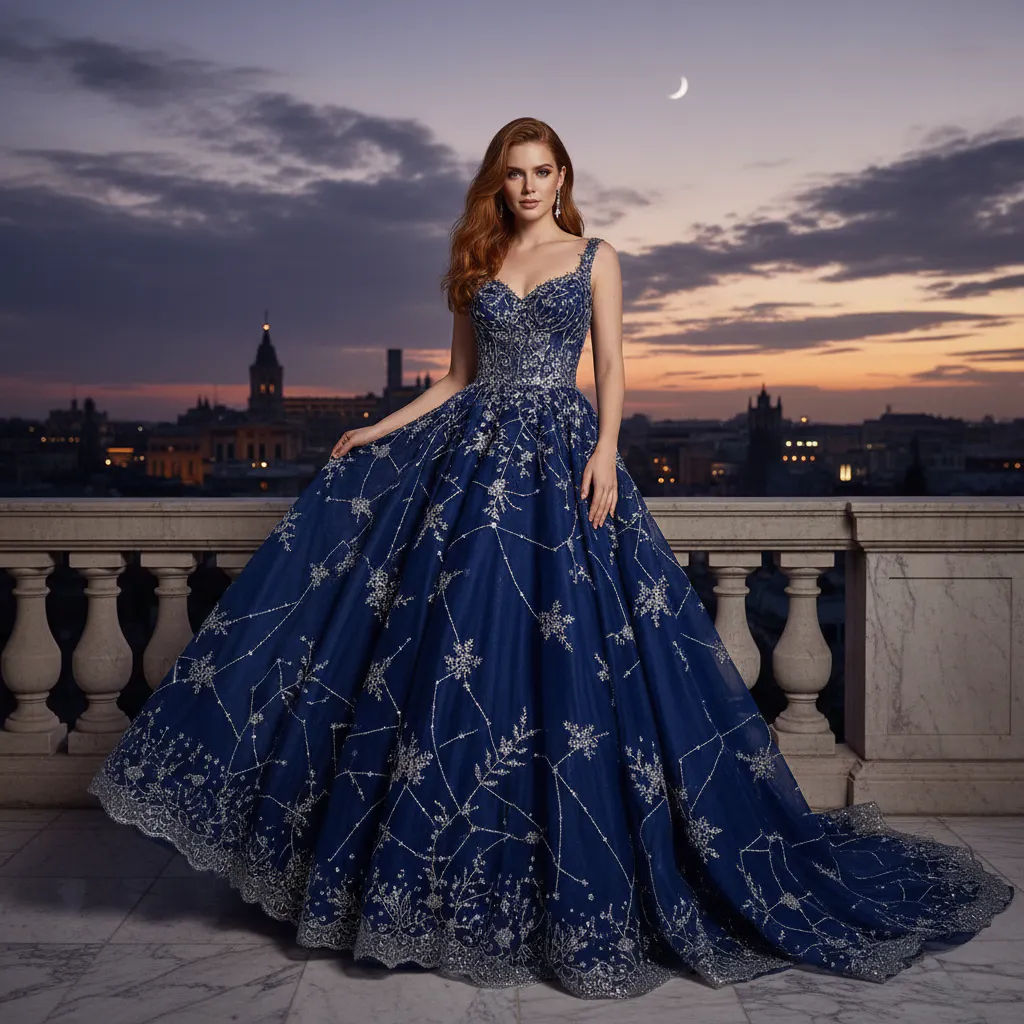
Photographing clothing on a model helps customers understand how a garment fits and drapes. A dress hanging on a rack looks very different when worn. Model photography allows shoppers to see proportions, movement, and styling possibilities.
However, organizing model shoots can become expensive. Hiring photographers, models, stylists, and makeup artists for every product launch isn't practical for many brands.
This is where Blend's AI Models can help. Instead of scheduling costly photoshoots, you can showcase apparel on realistic AI-generated models and create professional fashion imagery in minutes.
3. Ghost Mannequin Photography
Ghost mannequin photography uses a mannequin during the shoot and removes it during editing. The result is a floating garment effect that highlights shape and structure while keeping the focus entirely on the product.
Many fashion retailers use this technique because it provides a clean and professional presentation for ecommerce listings. You can check the Blend app or visit the Blend website ans use their Ghost Mannequin feature to showcase your products in a unique way.
4. Lifestyle Photography
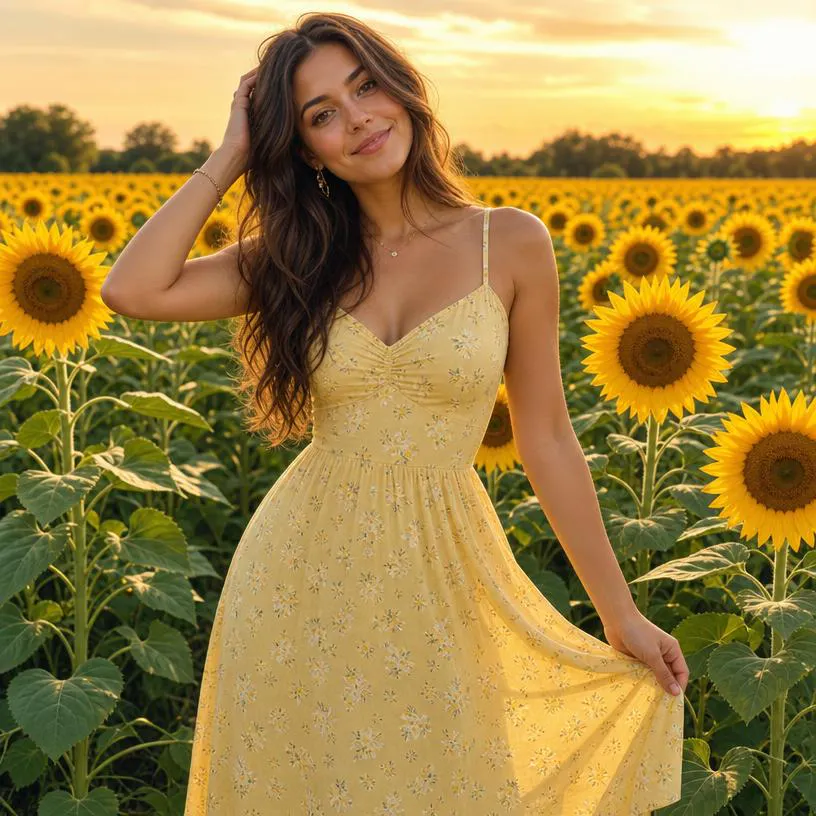
Lifestyle photography places apparel in real-world environments. Rather than focusing solely on the garment, these images tell a story. A linen dress photographed in a café or a winter jacket captured outdoors helps customers imagine themselves wearing the product.
Traditionally, creating lifestyle photography requires location scouting and extensive planning. Blend simplifies this process by allowing you to generate realistic lifestyle backgrounds without organizing additional photoshoots.
Clothing Photography Equipment You Need
You don't necessarily need a professional studio to create great apparel photography. A basic setup often includes:
- A smartphone or camera
- A tripod
- A clean backdrop
- Consistent lighting
- A reflector or white foam board
For many ecommerce brands, the biggest challenge isn't taking the initial photo. It is everything that comes afterward.
Editing images, removing backgrounds, creating lifestyle scenes, and producing marketing assets can consume hours of valuable time.
Blend helps simplify these tasks by automating much of the editing and content creation process.
How to Set Up a Clothing Photography Studio
One of the most common questions people ask is how to set up lighting for clothing photography. The good news is that you don't need a large studio space.
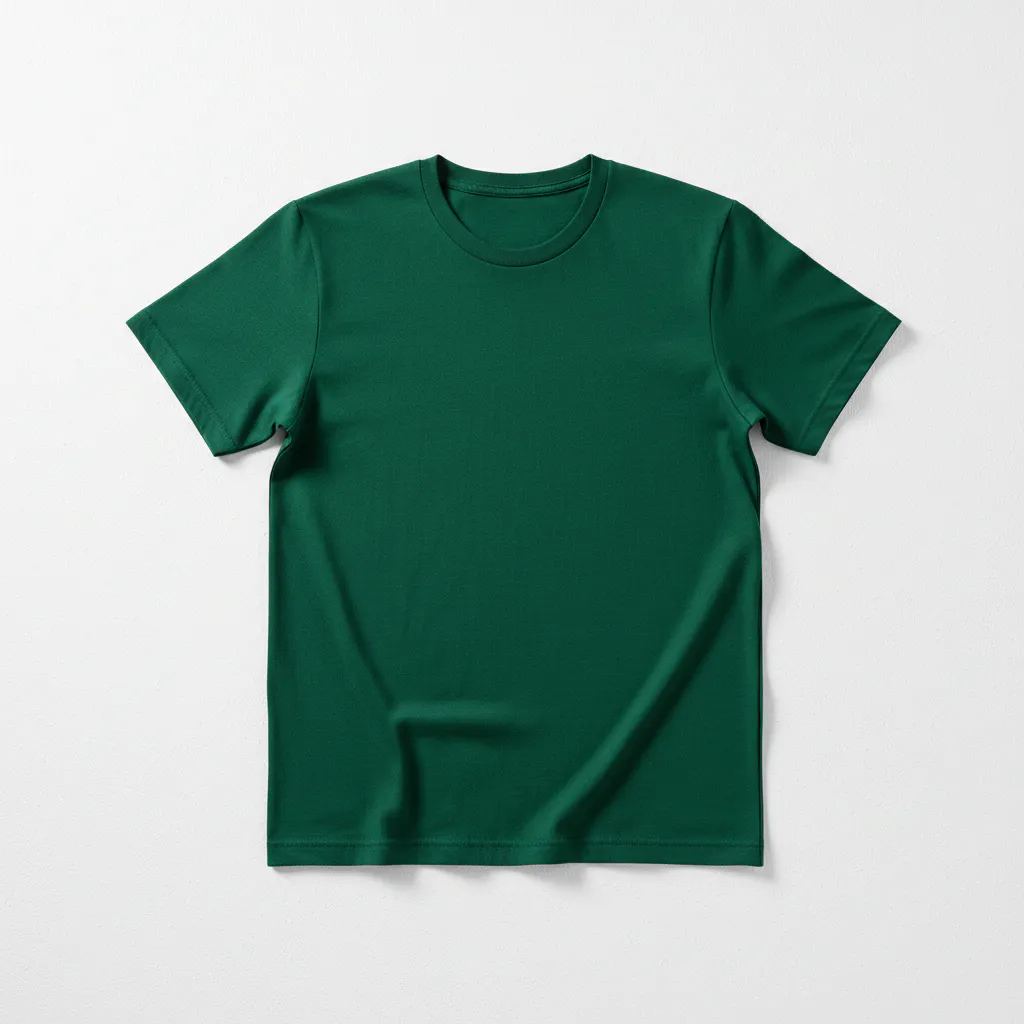
Start with a clean background. White remains the most popular choice because it creates a distraction-free environment and meets the requirements of many ecommerce marketplaces.
Next, you need to focus on lighting. Natural light from a large window can produce excellent results. If you are shooting regularly, softboxes or LED panels provide greater consistency.
Position your lighting evenly around the garment to avoid harsh shadows and ensure accurate color representation.
If creating a professional studio setup isn't feasible, Blend offers an alternative. Instead of building elaborate photography sets, you can photograph products simply and use AI-generated backgrounds to create polished, professional visuals.
How to Photograph Clothes in 8 Simple Steps
Here is the easiest way to photography clothes:
1. Prepare Your Garments
Before taking photos, inspect each item carefully.
Steam out wrinkles, remove lint, and check for loose threads. Small imperfections become highly noticeable in product photography.
2. Set Up Your Background
Choose a clean and uncluttered background that keeps attention focused on the clothing.
3. Use Consistent Lighting
Soft, even lighting ensures your products look professional and accurately represent colors.
4. Capture Multiple Angles
Photograph every garment from the front, back, side, and angled perspectives.
5. Include Detail Shots
Close-up photos help customers inspect stitching, fabric texture, embroidery, buttons, and other important details.
6. Edit for Consistency
Maintain a consistent editing style across your entire catalog.
Blend can automatically remove backgrounds and help create a cohesive visual identity for your products.
7. Create Lifestyle Variations
Don't limit yourself to standard product images.
Use Blend to generate lifestyle scenes that help customers visualize products in real-world settings.
8. Repurpose Images for Marketing
Your product photography should work across multiple channels.
With Blend, you can transform product photos into social media graphics, advertisements, website banners, and promotional creatives.
10 Clothing Photography Ideas and Tips
Looking for inspiration? Here are some clothing photography ideas you can use to make your apparel images stand out.
1. Create Styled Flat Lays
Arrange complementary products together to showcase complete outfits.
2. Photograph Clothing on Models
Show customers how garments fit and move in real life.
3. Highlight Fabric Texture
Capture detailed close-up shots that showcase material quality.
4. Use Lifestyle Backgrounds
Place products in realistic environments to create a stronger emotional connection.
5. Experiment With Seasonal Themes
Create summer, holiday, or seasonal campaign imagery to keep content fresh.
6. Maintain Consistent Branding
Use a similar visual style throughout your catalog.
7. Showcase Multiple Angles
Give customers a complete understanding of every product.
8. Create Social-Ready Content
Design images that can be repurposed for Instagram, Pinterest, and Facebook.
9. Turn Photos Into Videos
Video content often generates higher engagement than static images.
Blend allows you to convert product photos into dynamic videos without complicated editing software.
10. Use AI to Scale Content Creation
As your product catalog grows, creating content manually becomes difficult.
Blend helps fashion brands generate professional-quality visuals faster, making it easier to keep up with content demands.
Clothing Photography Examples
Flat Lay Example
AI Model Example
Lifestyle Example
White Background Example
How Blend Simplifies Clothing Photography
Blend was built to help ecommerce businesses create professional visual content faster. Instead of relying on multiple tools and complicated workflows, you can manage much of your content creation process in one place.
With Blend, you can:
- Create realistic AI model photography
- Design social media posts and marketing creatives
- Take lifestyle photos of your clothes
- Generate product videos
- Create content for multiple sales channels
Whether you are launching a new clothing line or scaling an existing fashion brand, Blend helps you create more content with less effort.
Conclusion
Creating professional clothing photography doesn't have to involve expensive studios, large production teams, or complicated editing workflows.
When you use proper lighting, thoughtful composition, and consistent styling, you create apparel photos that help customers trust your products and make confident purchasing decisions.
And when you are ready to scale your content creation, Blend gives you everything you need.