


Your product could be amazing but if your photos aren’t, then customers won’t look twice at it. They’ll scroll right past it, and that’s precisely why you need better images to advertise your goods. What customers like these days? Well.. Clean backgrounds, realistic lighting, lifestyle scenes, and scroll-stopping visuals are now the baseline, not a bonus.
Traditional product editing takes time, money, and design skills most businesses don’t have. Here’s the good news. With AI editing apps like Blend, you can transform ordinary product photos into professional, high-converting visuals in minutes. You don’t need any pricey studio, no Photoshop, and most importantly, no stress.
If you’re not sure how to go about editing a picture, scroll down and learn some easy ways to edit product images with AI in less than 5 minutes.
1. Remove Unwanted Objects from the Picture
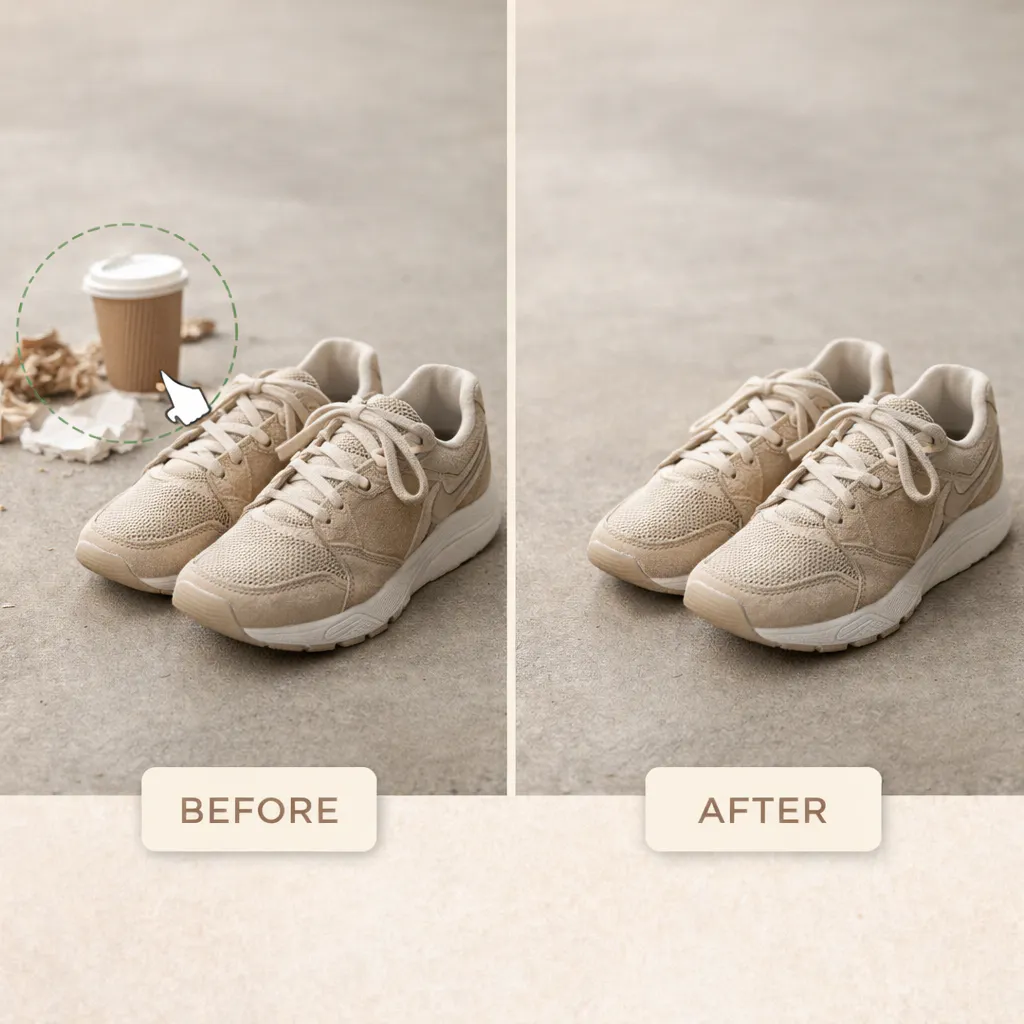
Let’s say you run a small shoe business and have taken many pictures to promote them. But those pictures are ruined by small distractions like dust, reflections, background clutter, or accidental props. These unwanted things can draw attention toward them rather than the product.
Removing these manually usually requires advanced editing skills and a lot of time. But with Blend’s “Magic Eraser” feature, you can easily remove unwanted objects in seconds. All you have to do is, go to the Blend website and:
- Upload the image
- Highlight the object you want to remove
- Just use the lasso to circle the object, or brush over it to quickly remove it from the image
- It’s ready to be saved
You’ll have a clean and polished image that looks aesthetic without the headache of manual retouching.
2. Remove the Background
Don’t know what to do about the cluttered background but you can’t afford a photoshoot? Fret not. With Blend’s “Remove Background”, you can get rid of a messy backdrop almost instantly. This feature is great for sellers who need speed, accuracy, and scalability, especially those who are managing product catalogs or frequent updates.
Upload a picture and remove the background completely. You can keep it white or add subtle colors to match the vibe of your brand. That’s about it. You have a clean picture to upload on e-commerce websites, marketplaces, or online catalogs.
3. Add Better Lighting and Shadows
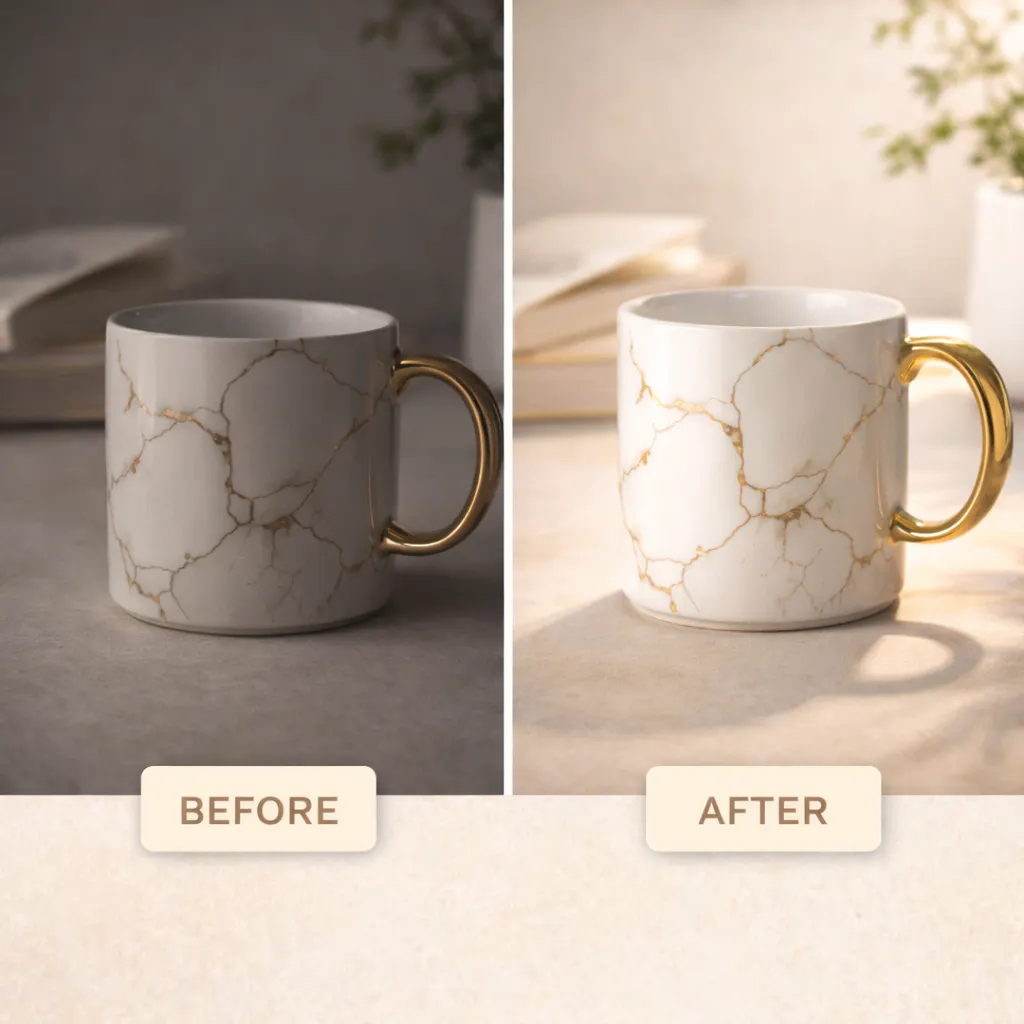
Lighting can make or break your product image, especially if you are trying to create high-performing social media content. Poor lighting flattens textures, distorts colors, and makes products look cheap, even if they aren’t.
Blend App has a feature named “DesignGPT” where you can communicate with AI and tell them the things that need to be done. Like enhancing lighting and generating realistic shadows that match the product’s shape, size, and environment. This creates depth and realism that feels natural to the human eye.
4. Show Products on AI Models
For fashion, accessories, and wearable products, customers want to see items in context. If you just flat lay your images alone often, they aren’t drawing the customer’s attention. Moreover, they aren’t enough to drive confidence or conversions.
Blend’s “AI Model” feature allows you to place products on realistic virtual models without hiring photographers, models, or studios. The AI ensures accurate proportions, natural poses, and consistent styling across images.
This can significantly help in boosting conversations because:
- Customers are able to visualize fit and scale
- It creates lifestyle context instantly
- It builds trust and engagement
Go ahead and try this on the Blend app or website and give customers the confidence to click the “Shop Now” button.
5. Create a Professional-Looking Product Photo
Professional product photos used to mean studio lights, expensive equipment, and a photographer. However, not every small business owner can do the whole shebang. Thankfully, with Blend’s Lifestyle Shot, that standard is now accessible to everyone.
It allows you to transform simple product images into studio-quality visuals using AI-powered enhancements and photoshoot environments. After you upload a picture, you can pick a background of your choice. Not just that, you can create a video, edit the picture, and even upscale it to make it more attractive.
6. Create Studio-Quality Listing Images with Studio Shot
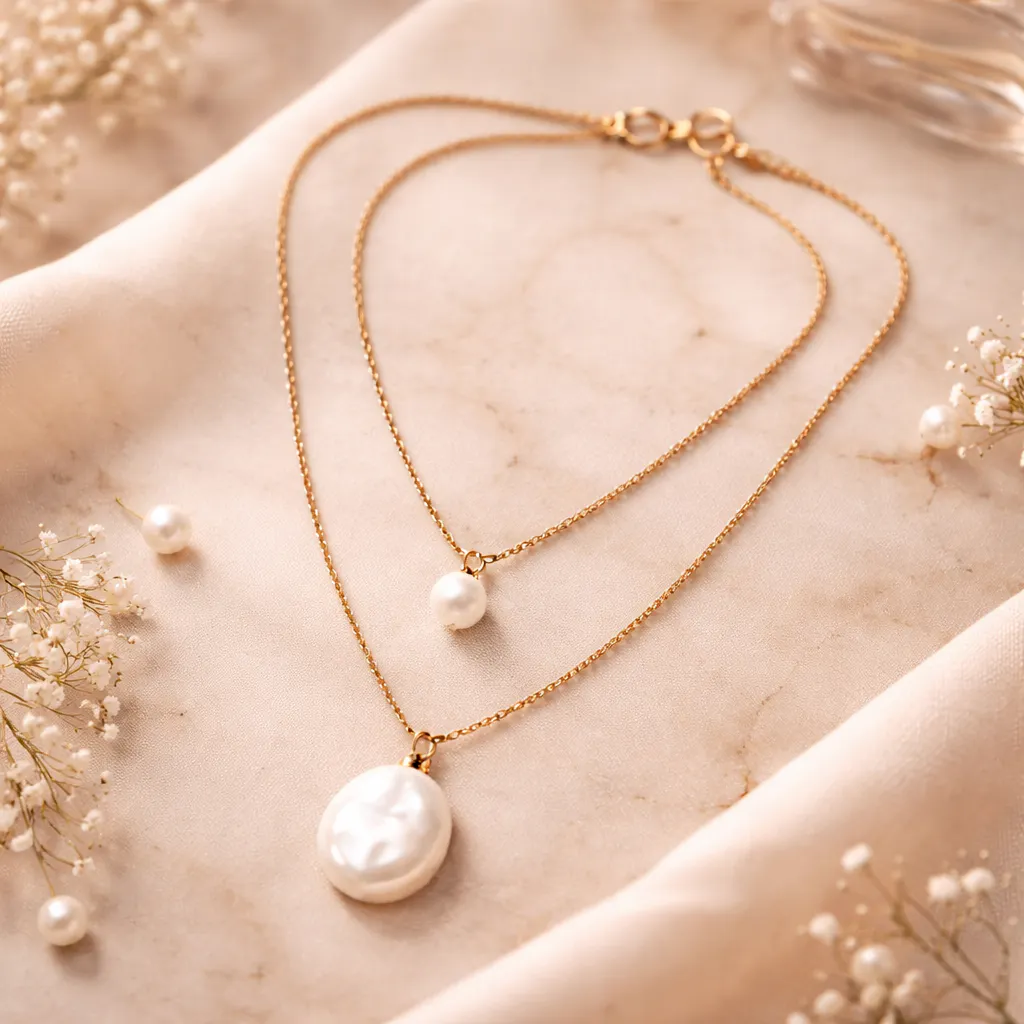
Those who run a small-scale business know the hassle of taking pictures with a clean background. There is so much clutter around and you just do not have enough time to clean the background before taking a picture. Lo and behold, Studio Shot feature by Blend.
This exquisite feature lets you turn a basic picture into a clean, studio-quality listing image that is perfect for e-commerce websites like Amazon, Etsy, and Shopify. This is perhaps the easiest way of converting product image to a studio image without a physical studio.
7. Resize to Your Preference
Different platforms require different image sizes, and getting this wrong can mean a rejected listing or a cropped, awkward-looking photo. Amazon's main listing image needs a pure white background at a minimum 1000x1000px for zoom functionality. Etsy recommends a 2000x2000px square format for listing photos. Instagram's feed posts perform best at 1080x1350px (4:5 ratio), while Stories and Reels need 1080x1920px (9:16).
Blend lets you resize product images instantly while preserving composition and clarity. Upload once, pick your platform's format, and export without manually recalculating dimensions for every size you need.
FAQs
Can AI really replace a professional product photoshoot?
For most ecommerce listing needs, including clean backgrounds, consistent lighting, and platform-ready sizing, yes. AI tools like Blend handle the core technical requirements a photoshoot would cover. Complex art-direction or brand-campaign photography still benefits from a dedicated shoot, but day-to-day catalog photos no longer require one.
Do I need design experience to edit product photos with AI?
No. Tools like Blend's Magic Eraser, Remove Background, and Studio Shot are built to work with a single upload and a few clicks. No masking, layering, or design software experience required.
What image size should I use for Amazon, Etsy, and Instagram listings?
Amazon requires a minimum 1000x1000px main image on a white background. Etsy recommends 2000x2000px square photos. Instagram feed posts perform best at 1080x1350px, and Stories/Reels need 1080x1920px. Blend can export to each of these formats from a single uploaded photo.
Conclusion
In today's competitive eCommerce landscape, great visuals are not just optional. They are essential. By using Blend, you can create consistent, high-performing product images faster, scale your content effortlessly, and focus more on growing your business instead of editing photos.
If you are ready to elevate your product imagery and stand out in crowded marketplaces, it's time to let AI do the heavy lifting.
Ready to upgrade your product visuals? Studio shots, AI model shots, lifestyle scenes, & product videos — all without a shoot.
Start creating for free